This review contains affiliate links. If you buy through them, we may earn a commission at no extra cost to you.
Attack Shark X3 Review 2026: 49g and a Flagship Sensor, With Honest Trade-Offs
Last updated: 26 November 2026Research-based review
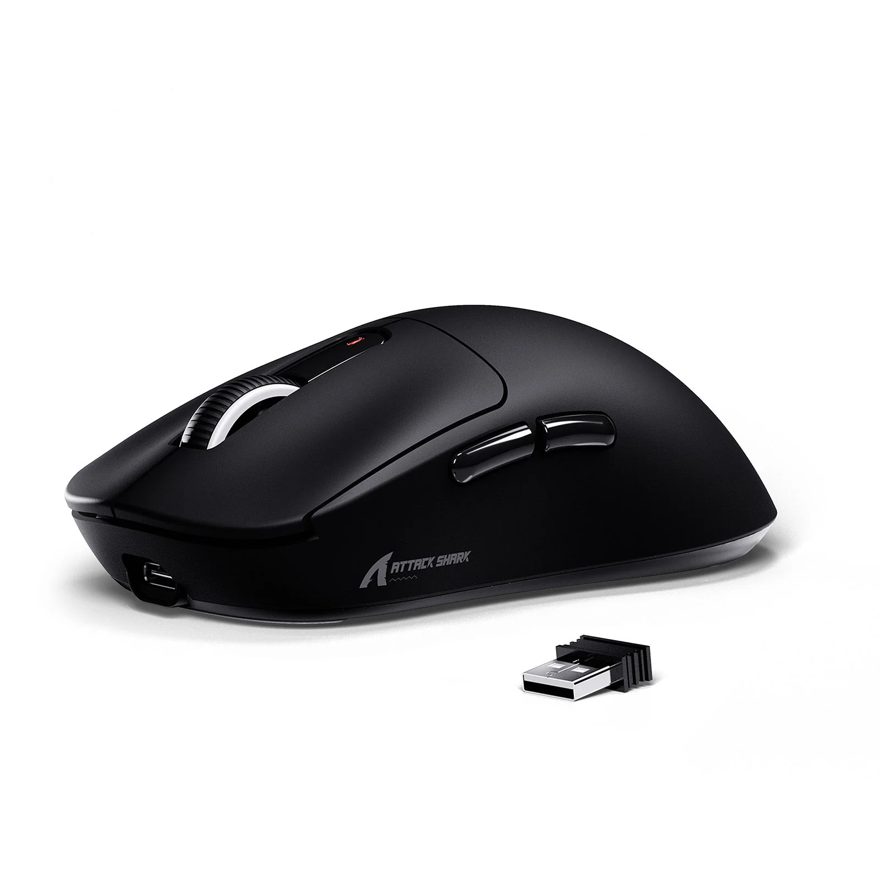
The X3 is the budget mouse with a spec sheet that reads like a flagship: a PixArt PAW3395 sensor, a 49g shell and three ways to connect, at a price where most mice cut corners. This review is built from the maker's published specs and owner feedback, not hands-on testing. No score, because a score would need a testing method we do not claim.
The verdict
Buy the X3 if you play fast FPS and want the lightest mouse your budget allows. The PAW3395 is the same sensor family used in flagship mice, the 49g shell reduces fatigue in long sessions, and the tri-mode connection covers 2.4GHz for gaming, Bluetooth for a second device and USB-C wired as a fallback. Skip it if loud clicks bother you, or if you want polished software: the switches are louder than average, the bundled software is basic and hard to find, and the smooth shell can feel slippery until you add the included grip tape.
Key specifications
- Sensor: PixArt PAW3395 sensor, up to 26,000 DPI
- Weight: 49g ultralight shell
- Connection: Tri-mode: 2.4GHz, Bluetooth 5.2, USB-C wired
- Switches: Kailh GM8.0 switches, rated 80 million clicks
- Battery: up to 200 hours (maker claim)
What it does well
The sensor is the headline: the PAW3395 tracks cleanly with no smoothing or acceleration at the speeds real players use, and finding it at this price is the whole point of the mouse. Weight is the second reason to buy it: at 49g it is half the weight of a Logitech G305 with its battery fitted, so flicks take less effort and wrists tire less over long sessions. The tri-mode connection is the third: 2.4GHz for gaming, Bluetooth for a laptop or second device, and a wired mode that keeps you playing while it charges. The Kailh GM8.0 switches feel crisp and fast, and they are rated for 80 million clicks.
Where it falls short
The trade-offs are real, and owners name the same ones. The switches are louder than average, which matters if you play at night or share a room. The smooth shell can feel slippery without the included grip tape, and the grip tape itself can peel over time. The software is basic and hard to find, so changing settings takes more patience than it should. Treat the 200 hour battery figure as a maker best case; even at half that number, charging is an occasional event, not a weekly one.
Pros and cons
Summaries of published specs and owner feedback, not personal testing.
Attack Shark X3
WHAT STANDS OUT- Flagship PAW3395 sensor at a budget price
- 49g weight reduces fatigue in long sessions
- Three connection modes cover almost any setup
- Crisp, fast clicks from the Kailh switches
WHAT TO CONSIDER- Switches are louder than average
- Included grip tape can peel over time
- Software is basic and hard to find
- Smooth shell can feel slippery without grip tape
Alternatives worth considering
If battery life matters more than weight, the Logitech G305 runs up to 250 hours on one AA battery and is the proven, reliable pick, at 99g with the battery fitted and with no Bluetooth or wired mode. If comfort matters more, the Razer DeathAdder V2 is the palm grip pick at 82g, with optical switches that cannot develop mechanical double clicks. If the budget is truly tight, the SteelSeries Rival 3 is the safe first gaming mouse. All three are compared in our gaming mice guide, and the X3 faces the G305 head to head in our budget wireless mouse guide.
Where to buy
View the Attack Shark X3 at HardwareMarket ↗
We show no price here. Prices change often and we only publish prices from a verified live source, so check the retailer page for the current price.
Questions people ask about the X3
Is the Attack Shark X3 good for FPS games?
Yes, it is built for exactly that. The PixArt PAW3395 sensor tracks cleanly with no smoothing or acceleration, the 49g shell takes less effort to start and stop than a heavier mouse, and the 2.4GHz mode reports at 1ms, the same speed as a wired connection in practice. Use the 2.4GHz mode for gaming; Bluetooth is the highest latency option and belongs on a second device, not in a match.
How long does the Attack Shark X3 battery last?
Up to 200 hours, according to the maker. Treat that as a best case figure, as with every battery claim, but even at half that number you are charging every few weeks rather than every few days. When it does run low, the USB-C wired mode keeps you playing while it charges.
Does the Attack Shark X3 have Bluetooth?
Yes. The X3 is tri-mode: 2.4GHz wireless through its receiver, Bluetooth 5.2, and USB-C wired. That is one of its clearest edges over the Logitech G305, which is 2.4GHz only with no Bluetooth and no wired mode.
Attack Shark X3 or Logitech G305, which should I buy?
Buy the X3 if you want the lightest mouse and the strongest spec sheet for the money: 49g, a flagship sensor and three connection modes. Buy the G305 if you want proven reliability and battery life measured in months: up to 250 hours on one AA battery, with no built-in battery to wear out. The honest trade-offs run the other way too: the X3 clicks are loud and its software is basic, while the G305 is heavy at 99g and has no Bluetooth. Our budget wireless mouse guide puts them side by side.
Keep researching: gaming mice compared · best wireless gaming mouse on a budget · Logitech G305 review
How we research
We compare published specs, read owner reviews on retailer pages, and note what owners praise and complain about most. We make no hands-on testing claims. See our research methodology and affiliate disclosure.
