
This guide contains affiliate links. If you buy through them, we may earn a commission at no extra cost to you.
Best Gaming Keyboards, Compared on What Actually Matters
Last updated: Research-based comparison
Switch type, layout and connection decide most keyboard purchases. This guide compares the keyboards below on published specs and recurring owner feedback.
| Product | Key specifications | Best for | Limitation | Retailer |
|---|---|---|---|---|
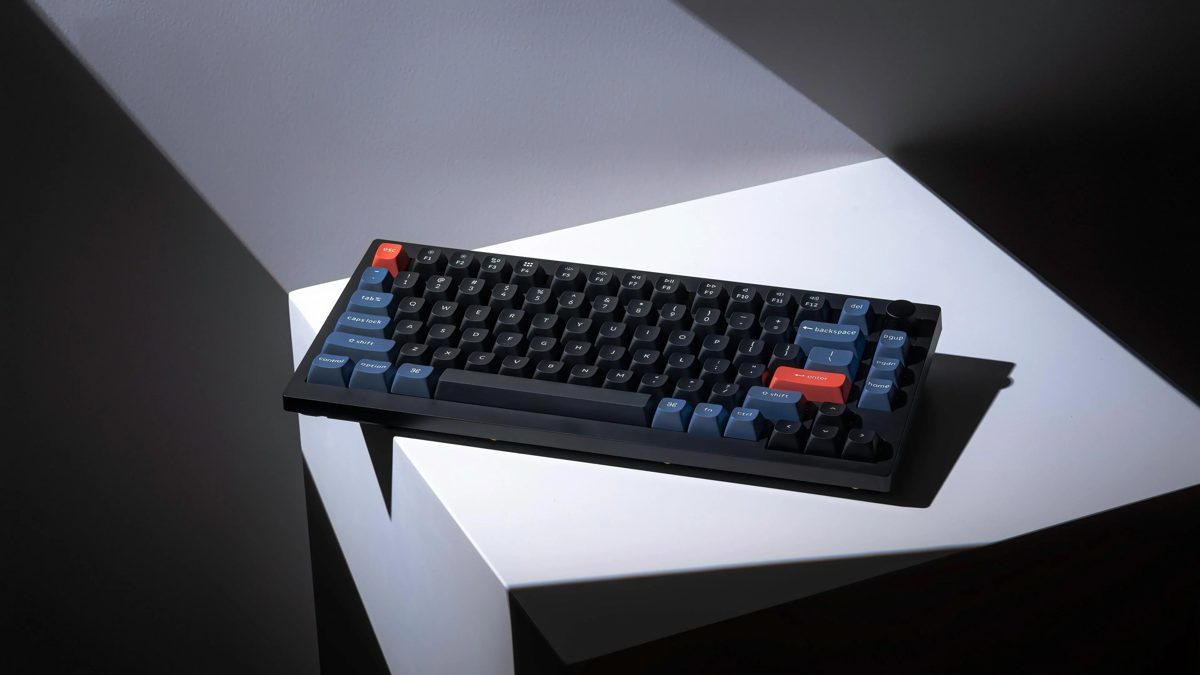 Keychron V1 | 75% layout, 82 keys · Hot-swappable 3/5-pin MX sockets · QMK/VIA programmable, 1000Hz polling | Customisation and remapping on a sensible budget | Wired only, no wireless modes | View ↗ |
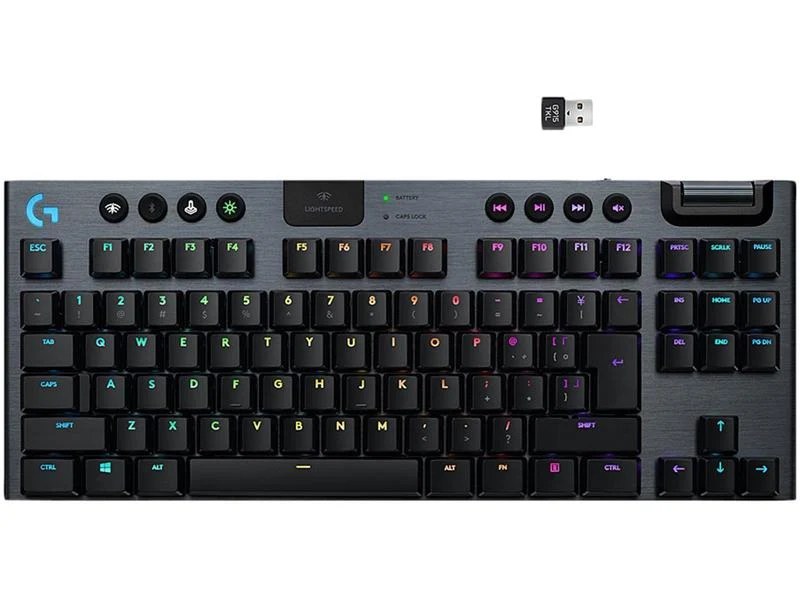 Logitech G915 TKL LIGHTSPEED | Tenkeyless layout, low-profile GL Tactile switches · LIGHTSPEED 2.4GHz (1ms), Bluetooth and USB · Up to 40 hours battery at full brightness | A clean wireless desk without giving up speed | Charges over Micro-USB, not USB-C | View ↗ |
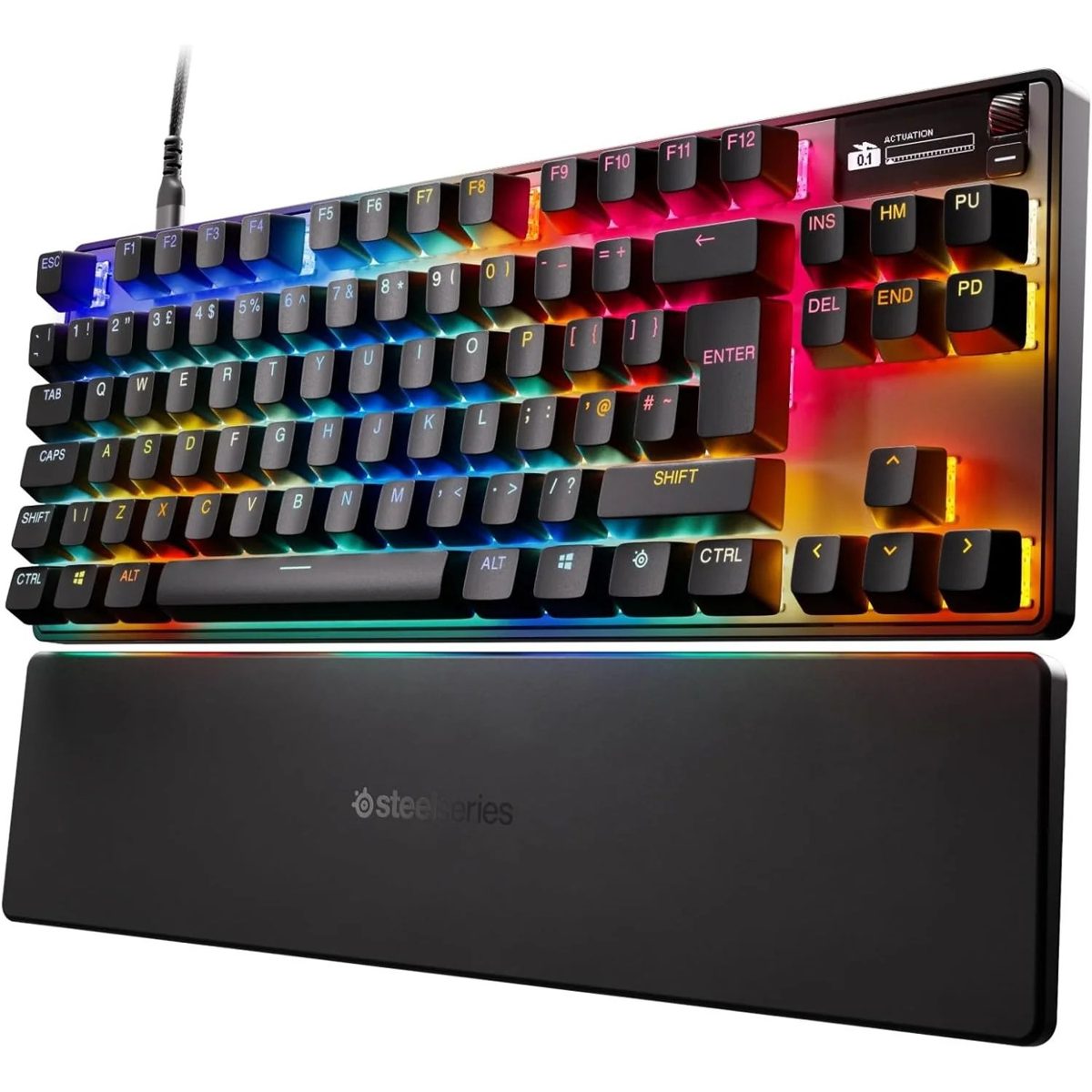 SteelSeries Apex Pro TKL Gen 3 | Tenkeyless layout, wired USB-C · OmniPoint 3.0 adjustable magnetic switches · Actuation adjustable from 0.1 to 4.0mm | Competitive players who tune actuation per key | Wired only | View ↗ |
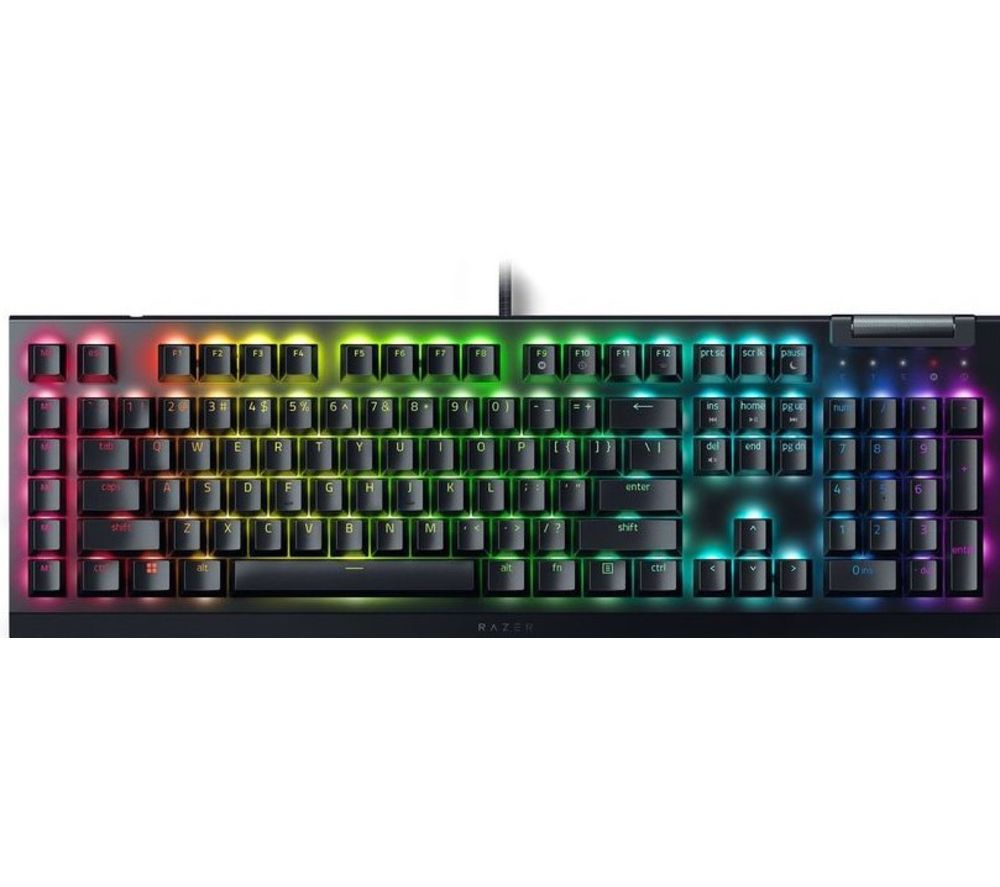 Razer BlackWidow V4 X | Full-size layout, 104 keys · Razer Yellow linear mechanical switches · 6 dedicated macro keys | A full-size board with macros for games and work | Full-size footprint leaves less mouse room | View ↗ |
How to choose a gaming keyboard
Four things decide how a gaming keyboard feels under your fingers. The switch decides the feel and speed of every press. The layout decides how much desk your mouse gets. Customisation decides whether the board adapts to you or you adapt to it. And the connection decides whether you manage a cable, a battery, or both.
- Switches. Linear switches are smooth and quiet. Tactile switches add a felt bump at the actuation point. Adjustable magnetic switches go further and let you set how deep a press must go before it registers, per key.
- Layout. A 75% board like the Keychron V1 keeps the function row in a compact frame. Tenkeyless drops the number pad. Full-size keeps everything, including the pad, at the cost of mouse room.
- Customisation. Hot-swappable sockets let you change switches without soldering. QMK and VIA support lets you remap any key and build macros that live on the board itself.
- Connection. Wired is simple and never runs flat. Gaming-grade 2.4GHz wireless such as LIGHTSPEED reports at 1ms, and Bluetooth is handy for a second device, not for competitive play.
The four keyboards, explained
Keychron V1: the customisable budget board
Best for players who want one board they can reshape. The V1 is a wired 75% board with 82 keys, hot-swappable sockets that take standard 3-pin and 5-pin MX switches, and full QMK/VIA support, so every key can be remapped and every switch changed without soldering. It ships with double-shot PBT keycaps and keycaps for both Mac and Windows. The trade-offs: it is wired only, and the tall OSA profile keycaps take a few days of adjustment if you come from a low board.
Logitech G915 TKL LIGHTSPEED: the wireless one
Best for a clean desk that still plays competitively. The G915 TKL pairs low-profile GL Tactile switches with three connections: LIGHTSPEED 2.4GHz at a 1ms report rate, Bluetooth for a second device, and USB wired while it charges. The aluminium top case is only 22mm thin, battery runs up to 40 hours at full brightness, and there are dedicated media keys plus an edgeless volume wheel. The trade-offs: it charges over Micro-USB rather than USB-C, and battery life falls quickly if you keep the backlight at full brightness.
SteelSeries Apex Pro TKL Gen 3: the tuner's board
Best for competitive players who adjust everything. Its OmniPoint 3.0 magnetic switches let you set each key's actuation point anywhere from 0.1mm to 4.0mm, and Rapid Trigger resets keys the moment you release them, which suits fast repeated inputs and counter-strafing. An OLED display shows settings on the board itself, and the keycaps are double-shot PBT. The trade-offs: it is wired only, and the full feature set needs the SteelSeries GG software to configure.
Razer BlackWidow V4 X: the full-size option
Best for players who want the number pad and macros. The V4 X is a full-size 104-key wired board with Razer Yellow linear switches, which are smooth and quiet for a mechanical board, six dedicated macro keys, and a multi-function roller with media keys. Snap Tap prioritises your latest directional input, which helps fast direction changes. The trade-offs: the full-size footprint leaves less room for the mouse, and like the V1 and Apex Pro here, it is wired only.
Questions people ask about gaming keyboards
Which switch type is best for gaming?
Linear switches are smooth and quiet, which suits fast repeated key presses. Tactile switches add a small bump you can feel, which many players prefer for typing and for knowing a press registered. Adjustable magnetic switches, like the OmniPoint 3.0 in the Apex Pro TKL Gen 3, let you set the actuation point per key, so movement keys can trigger at 0.1mm while ability keys stay deeper and harder to hit by accident.
What keyboard size should I buy for gaming?
Tenkeyless and 75% boards drop the number pad and free up desk space for the mouse, which matters in FPS games where wide mouse movements are normal. Full-size boards keep the number pad and often add macro keys, which suits players who also work, stream or play MMOs on the same desk. There is no wrong answer, only a desk space trade-off.
Is a wireless keyboard fast enough for gaming?
Yes, on a proper gaming radio. Logitech LIGHTSPEED reports at 1ms, the same as a wired connection, and the G915 TKL in this guide also offers Bluetooth for a second device and a wired mode while it charges. What wireless costs you is charging: the G915 TKL runs up to 40 hours at full backlight brightness, less if you keep the lights high.
What does hot-swappable mean?
A hot-swappable keyboard lets you pull each switch out and push a different one in, with no soldering. It means you can change how the whole board feels, replace a single failed switch instead of the keyboard, and try switch types cheaply. The Keychron V1 in this guide accepts standard 3-pin and 5-pin MX switches.
Keep researching: gaming mice compared · QHD gaming monitors compared
Pros and cons
Summaries of published specs and owner feedback, not personal testing.
Verdict
How we research
We compare published specs, read owner reviews on retailer pages, and note what owners praise and complain about most. We make no hands-on testing claims. Our research methodology explains the process in full.